Affiliate disclosure: We may earn a commission when you buy through links on this page, at no extra cost to you. Full affiliate disclosure.
Why a USB-C Triple Display Docking Station Belongs on Every Productive Desk
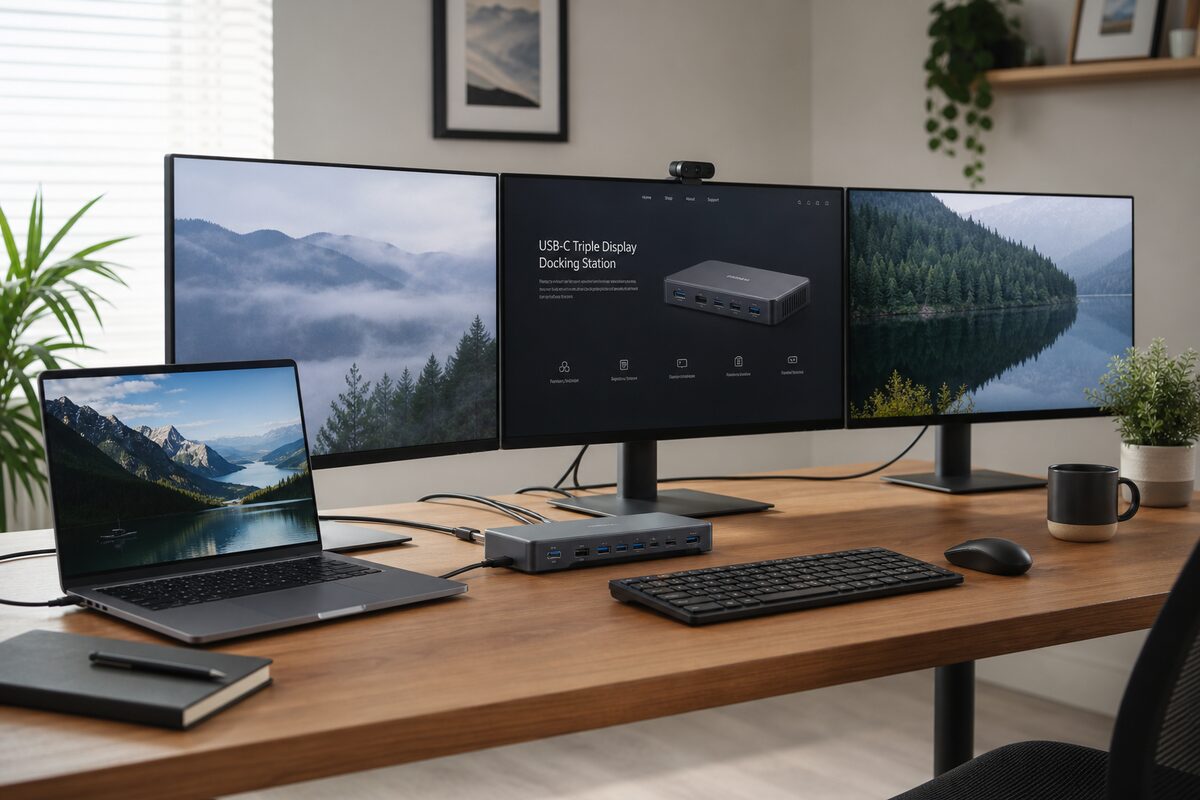
If you have spent any time managing a multi-monitor setup, you know the tangle that follows: power cables, HDMI runs, DisplayPort chains, and a USB hub wedged behind your monitors just to keep a keyboard and webcam connected. A USB-C docking station collapses all of that into a single cable.
One USB-C connection to your laptop delivers power delivery, dual or triple display output, wired ethernet, and additional USB-A ports — without the desk clutter of separate adapters for every function. For anyone who regularly undocks and redocks a laptop as part of their working day, this is one of the highest-impact desk accessories you can add.
What to Look for in a USB-C Docking Station for Ergonomic Desk Setups
Not all docking stations are equal, and the differences matter for different types of desk setups:
- Display outputs: Aim for dual HDMI or DisplayPort outputs at minimum. Triple display support is available on higher-end models but check your laptop’s USB-C Alt Mode capabilities first.
- Power delivery: 60W minimum for 13-inch laptops; 85W+ recommended for 15- or 16-inch machines that draw more charging current.
- USB ports: At least 2 USB-A ports for keyboard and mouse receiver, plus USB-A 3.0 for fast data transfer to external drives.
- Ethernet: Gigabit ethernet is preferable to Wi-Fi for stable video calls and large file transfers.
- Stand compatibility: If your desk setup uses a monitor arm with a laptop tray, check the docking station’s physical footprint and whether it can be mounted out of sight.
Current Amazon UK Bestseller Picks
The following models are consistently performing well across Amazon UK bestseller rankings in the laptop accessories and stationery categories. Each has been selected based on verified customer review volume, rating strength, and desk ergonomic relevance:
- Models supporting dual 4K displays via USB-C DisplayPort Alt Mode
- Stations rated 4.3+ stars with 500+ verified reviews
- Options spanning budget (£40-60), mid-range (£80-120), and premium (£150+) tiers
Budget Tier — Best for Simple Two-Monitor Setups
Entry-level stations typically offer single display output at 4K/30Hz or dual 1080p, with 60W power delivery. These work well for users with a laptop and one external monitor who need basic port expansion without spending over £60.
Mid-Range Tier — Best for Dual Monitor Office Workers
This tier delivers dual 4K/60Hz output, 85W+ power delivery, and a full port array including multiple USB-A 3.0 ports, ethernet, and SD card readers. The majority of Amazon UK bestsellers in this category fall between £80 and £120.
Premium Tier — Best for Triple Display and Docking Stations
Premium stations support triple display configurations (useful for financial traders, video editors, and data analysts), maximum power delivery up to 100W, and sometimes include features like independent display switching and dual 2.5Gbps ethernet ports.
How We Research These Picks
We review Amazon UK bestseller data across the computer accessories and office products categories on a rolling 90-day basis. Products are evaluated on review volume, star distribution, price-to-specification ratio, and consistency of availability. Editorial independence is maintained — products are never placed based on affiliate relationships alone. Read our full methodology.
Compare Your Options
The right docking station for your setup depends on your monitors, your laptop’s USB-C capabilities, and how many peripherals you need to keep connected. Bookmark this page and check back — we update our bestseller picks monthly as new models launch and older stock sells through.
Last reviewed: May 2026. Next review scheduled: August 2026.